Quick Summary
Choosing between Pinterest vs SEO for blog traffic isn't about picking the "better" platform—it's about matching your strategy to your niche, patience level, and content style. Pinterest delivers the fastest blog traffic (often within weeks) but requires constant feeding. SEO takes 6-12 months to gain traction but builds compounding, durable traffic that doesn't vanish when you take a vacation. This guide breaks down exactly when to prioritize each, with specific recommendations based on your blog's topic.
Can you really make money with this in 2026?
As of early 2026, both Pinterest and SEO remain legitimate, profitable traffic channels for bloggers—but the landscape has shifted significantly.
Pinterest has matured into a full search-and-shopping platform with over 480 million monthly active users. The algorithm now heavily favors fresh pins and idea pins, which means you can't just schedule 50 pins once and walk away. Bloggers in visual niches (recipes, home decor, fashion, crafts) still report 50,000-200,000 monthly sessions from Pinterest alone.
SEO has become more competitive but also more predictable. Google's AI overviews now appear on roughly 40% of searches, but blogs optimized for featured snippets and comprehensive content still capture significant click-through traffic. The bloggers winning at SEO in 2026 are those creating genuinely useful content that AI can't fully replicate—personal experience, original data, and step-by-step tutorials.
Here's the honest truth: neither platform is a get-rich-quick scheme. But bloggers who commit to one strategy and execute consistently for 12+ months routinely build traffic that generates $2,000-$10,000/month through ads and affiliates. The question isn't whether you can make money—it's which path gets you there with your specific constraints.

How Pinterest vs SEO for blog traffic actually works
Understanding the mechanics of each platform reveals why they suit different situations.
How Pinterest drives blog traffic
Pinterest functions as a visual search engine, not a social network. Users search for ideas, save pins to boards, and click through to source websites. Your blog traffic comes from:
- Search results — Users type queries like "easy dinner recipes" and your pin appears
- Home feed — Pinterest shows your pins to users based on their interests
- Related pins — Your content appears below pins users are already viewing
The Pinterest algorithm prioritizes fresh content heavily. A pin typically gets 80% of its lifetime impressions within the first 30 days. This means consistent creation isn't optional—it's the entire game.
Traffic arrives quickly because Pinterest wants to test new content. But it also disappears quickly when you stop creating. Most Pinterest traffic has a 2-4 week peak window before declining unless the pin goes "evergreen."
How SEO drives blog traffic
Google (and now AI search engines like Perplexity and ChatGPT) index your content and display it when users search relevant queries. Your traffic comes from:
- Organic search results — Traditional blue links on search pages
- Featured snippets — Highlighted answer boxes at the top of results
- AI citations — Your content quoted in AI-generated answers
SEO operates on compound interest principles. A single well-optimized article might get 10 visitors in month one, 50 in month three, and 500 in month six as it climbs rankings. Once established, that article can drive consistent traffic for years with minimal maintenance.
The tradeoff is patience. Google needs to crawl, index, and evaluate your content against competitors. New blogs face a "sandbox" period where rankings improve slowly regardless of content quality.
"Pinterest is a sprint you run every week. SEO is a marathon you run once per article. Choose based on whether you prefer consistent short bursts or delayed massive payoffs."
Step-by-step: how to start
Here's how to launch either strategy effectively, starting from zero.
Starting with Pinterest marketing for your blog
Step 1: Set up a Pinterest business account
Convert to or create a business account (free). Claim your website to get attribution on all pins. Enable rich pins so your blog post titles and descriptions pull automatically.
Step 2: Research Pinterest keywords
Use Pinterest's search bar to find keywords. Type your topic and note the suggested searches—these are actual queries users make. Target long-tail keywords like "easy crockpot meals for beginners" rather than just "dinner recipes."
Step 3: Create strategic boards
Build 10-15 boards around your niche topics. Each board needs a keyword-rich title and description. Pin 20-30 existing pins to each board before adding your own content.
Step 4: Design click-worthy pins
Create 3-5 unique pin designs for each blog post. Use tall images (1000x1500 pixels), bold readable text, and clear value propositions. Tools like Canva work fine; consistency matters more than perfection.
Step 5: Establish a pinning schedule
Pin 15-25 times daily, mixing your content (30%) with others' content (70%). Use scheduling tools to maintain consistency. Front-load your best content when starting.
Starting with SEO for your blog
Step 1: Build a technically sound site
Your blog needs fast loading speeds, mobile responsiveness, and proper indexing. If you're starting fresh, Site Engine can generate a technically optimized blog structure in under a minute, handling the foundational setup that would otherwise take days.
Step 2: Conduct keyword research
Find keywords with decent search volume (100-1,000 monthly searches) and low competition. Target informational queries where you can provide genuine value. Tools like Ahrefs, Ubersuggest, or free options like Google Keyword Planner help identify opportunities.
Step 3: Create comprehensive content
Write articles that fully answer the user's question. Aim for 1,500-3,000 words for competitive keywords, but prioritize completeness over arbitrary word counts. Include original insights, examples, and actionable steps. Content Engine can produce SEO-structured long-form articles that cover topics comprehensively, which you can then personalize with your expertise.
Step 4: Optimize on-page elements
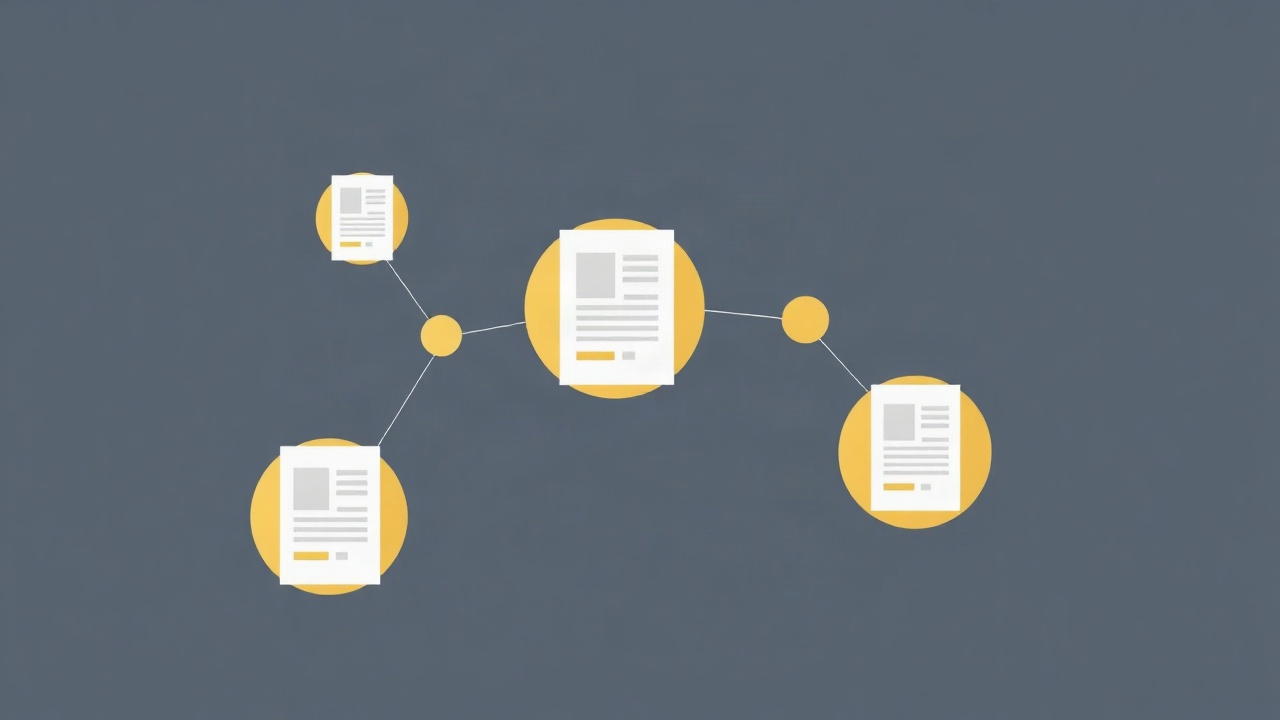
Include your target keyword in the title, first paragraph, one H2 heading, and naturally throughout. Write compelling meta descriptions. Use internal links to connect related articles on your site.
Step 5: Build topical authority
Publish 5-10 articles on the same subtopic before moving to the next. Google rewards sites that demonstrate expertise in specific areas. A food blog with 30 articles on meal prepping will outrank one with 30 scattered recipes.
Step 6: Get cited by AI search
With AI-powered search tools now answering queries directly, getting your content cited by ChatGPT, Perplexity, and Google's AI overviews matters increasingly. Traffic Generator AI helps position your content for these AI citations, which represent a growing share of search traffic in 2026.
Realistic earnings & timeline
Here's what to actually expect from each strategy:
| Metric | SEO | |
|---|---|---|
| First traffic | 2-4 weeks | 2-4 months |
| 10K monthly sessions | 3-6 months | 8-14 months |
| 50K monthly sessions | 6-12 months | 12-24 months |
| Weekly time investment | 5-10 hours | 8-15 hours |
| Maintenance after established | High (ongoing) | Low (occasional updates) |
| Traffic durability if you stop | Drops 50%+ in 30 days | Stable for 6-12+ months |
| RPM (ad revenue per 1K visitors) | $8-20 | $15-40 |
| Affiliate conversion rate | 0.5-2% | 1-4% |
The earnings difference stems from user intent. Someone searching Google for "best running shoes for flat feet" is closer to buying than someone scrolling Pinterest and saving a pin about running gear.
Monthly income at 50K sessions:
- Pinterest: $400-1,000 (ads) + $200-800 (affiliates) = $600-1,800
- SEO: $750-2,000 (ads) + $500-2,000 (affiliates) = $1,250-4,000
These ranges assume display ads plus moderate affiliate integration. Product sellers and course creators often see higher Pinterest conversions due to the platform's shopping-oriented user base.
Mistakes that kill beginners
1. Splitting focus too early
Trying to master Pinterest and SEO simultaneously usually means failing at both. Your first 10,000 monthly visitors should come from one concentrated effort. Add the second channel only after you've established momentum.
2. Expecting Pinterest results from SEO timelines (or vice versa)
Bloggers quit SEO at month four because "nothing's happening" or abandon Pinterest because it "requires too much work." Both platforms deliver—but on completely different schedules. Set expectations correctly from day one.
3. Ignoring Pinterest keyword optimization
Many bloggers treat Pinterest like Instagram, focusing on aesthetics over searchability. Pinterest is a search engine. Pin titles and descriptions need keywords, not just pretty images. A mediocre design with perfect keywords outperforms a beautiful pin nobody can find.
4. Writing for search engines instead of humans
The 2026 SEO landscape punishes keyword-stuffed, AI-generated-feeling content. Google's helpful content system specifically downgrades articles that seem written for rankings rather than readers. Write genuinely useful content first, then optimize it.
5. Choosing based on preference instead of niche fit
Some niches dramatically favor one platform. Choosing Pinterest for a B2B software blog or SEO for a DIY crafts blog means swimming upstream. Match your strategy to where your audience actually searches.
Frequently asked questions
Is Pinterest or Google traffic better for new bloggers?
For most new bloggers, Pinterest delivers faster initial results within 2-4 weeks, while Google traffic takes 6-12 months but provides more stable long-term growth. The best choice depends on your niche—visual topics like food, crafts, and home decor favor Pinterest, while informational niches like finance and tech favor SEO.
How long does it take to get blog traffic from Pinterest?
Most bloggers see their first meaningful Pinterest traffic within 2-4 weeks of consistent pinning. To reach 10,000+ monthly sessions typically takes 3-6 months of strategic Pinterest marketing with 15-25 fresh pins per week targeting seasonal and trending content.
Can you do both Pinterest and SEO at the same time?
Yes, but it's often more effective to focus 80% of your effort on one channel first. Once you've established momentum on your primary platform (usually 6 months), you can begin building the secondary channel without losing ground on your primary traffic source.
Which traffic source makes more money for bloggers?
Google traffic typically converts better for affiliate marketing and ad revenue because users have higher purchase intent. Pinterest traffic excels for product sales, especially in lifestyle niches. On average, 1,000 Google visitors generate $15-40 in ad revenue versus $8-20 from Pinterest visitors.
Is Pinterest marketing for blogs still worth it in 2026?
Yes, Pinterest remains valuable in 2026, particularly for visual niches. The platform has over 480 million monthly users and functions as a search engine, not just social media. However, competition has increased, making strategic keyword targeting and consistent fresh content more important than ever.
The bottom line
The Pinterest vs SEO for blog traffic debate has a clear answer once you factor in your niche: visual lifestyle content (recipes, fashion, home, crafts, parenting) should start with Pinterest for fastest blog traffic, while informational content (finance, tech, health, business) should prioritize SEO for higher-converting visitors. Whichever you choose, commit fully for at least six months before evaluating—half-measures on either platform produce exactly zero results.
