Quick Summary
Starting a YouTube channel in 2026 is more accessible than ever, but the path to monetization requires understanding the specific subscriber and watch-hour thresholds YouTube enforces. This guide walks you through channel setup, explains exactly what the monetization bar looks like today, and shows you how AI tools now handle the time-consuming work of scripting, thumbnails, and SEO optimization. Whether you want to show your face or run a completely faceless operation, the formula is the same: consistent content, strategic optimization, and patience measured in months rather than weeks.
Can you really make money with this in 2026?
Yes, and the numbers are verifiable. As of early 2026, YouTube remains the second-largest search engine globally and pays out over $50 billion annually to creators through its Partner Program. The platform now hosts over 100 million paying YouTube Premium subscribers, which creates an additional revenue stream beyond traditional advertising.
Here's what makes 2026 different from previous years: the barrier to creating professional-quality content has collapsed. AI-generated scripts, voiceovers, and thumbnails mean a single person can produce content that previously required a small team. Channels that would have taken two years to monetize in 2021 now reach the same milestones in eight months with consistent AI-assisted output.
The platform isn't oversaturated—it's segmented. While broad entertainment categories are competitive, thousands of micro-niches remain underserved. Channels covering specific software tutorials, niche hobbies, regional travel guides, and specialized how-to content still find audiences hungry for depth over breadth.
The realistic answer: you can absolutely build a meaningful income stream on YouTube in 2026, but you should expect 6-12 months of consistent work before seeing your first AdSense payment.
How starting a YouTube channel actually works
YouTube's business model is straightforward: they sell advertising against your content and share roughly 55% of that revenue with you. To access this revenue share, you must qualify for the YouTube Partner Program (YPP), which has specific youtube monetization requirements you'll need to hit.
The current thresholds are:
- 1,000 subscribers AND
- 4,000 valid public watch hours in the past 12 months OR
- 10 million valid public Shorts views in the past 90 days
Once you meet these requirements, you apply for YPP, YouTube reviews your channel for policy compliance, and—if approved—you start earning money on every monetized view.

Beyond ad revenue, monetized channels unlock additional income streams:
- Channel memberships (monthly subscriber payments starting at $0.99)
- Super Chats and Super Stickers (live stream donations)
- YouTube Shopping (product tagging and affiliate integration)
- Super Thanks (one-time tips on any video)
The algorithm that determines your success prioritizes two metrics above all others: click-through rate (how often people click your thumbnail when they see it) and average view duration (how long they watch once they click). Master these two levers, and YouTube's recommendation engine becomes your distribution partner.
Step-by-step: how to start
Step 1: Choose your niche strategically
Your niche determines your RPM (revenue per thousand views), your competition level, and your long-term sustainability. The best youtube channel ideas for beginners balance three factors:
- Interest: Can you create 200 videos on this topic without burning out?
- Demand: Are people actively searching for this content?
- Monetization potential: Do advertisers pay premium rates to reach this audience?
High-RPM niches in 2026 include personal finance, business software tutorials, health and wellness, legal explainers, and B2B technology reviews. Lower-RPM but high-volume niches include gaming, entertainment commentary, and lifestyle vlogging.
For beginners, specificity beats breadth. "Productivity tips" is too broad; "Notion templates for freelance writers" is targetable.
Step 2: Create your Google account and channel
Visit youtube.com and sign in with a Google account. Click your profile icon, select "Create a channel," and choose between using your name or creating a custom brand name. For business purposes, a brand account gives you flexibility to add managers later and separates your personal Google activity from your channel.
Complete your channel setup:
- Upload a profile picture (1:1 ratio, minimum 800x800 pixels)
- Design a banner image (2560x1440 pixels, with safe zone awareness for mobile)
- Write a channel description using your target keywords naturally
- Add links to your website or social profiles
- Set your channel trailer for new visitors
Step 3: Develop your content system
This is where most beginners fail—they treat each video as a one-off creative project instead of building a repeatable system. Your content pipeline needs four components:
Research: Identify what your target audience is searching for. Use YouTube's search suggest feature, check competitor channels for their most-viewed videos, and analyze trending topics in your niche.
Scripting: Every successful YouTube video follows a structure—hook, setup, value delivery, and call to action. For faceless channels especially, tight scripts prevent rambling and keep viewer retention high. The YouTube Viral Engine handles this step by generating hooks and full scripts optimized for the faceless format, which eliminates the blank-page problem that stalls most new creators.
Production: Record or compile your visuals, add voiceover (AI or human), and edit for pacing. The 2026 standard for faceless content is AI voiceover with stock footage, motion graphics, or screen recordings.
Optimization: Titles, descriptions, tags, and thumbnails determine whether your content gets discovered.
Step 4: Master the thumbnail and title combination
Your thumbnail is a billboard on a highway. Viewers scroll past hundreds of options; yours needs to stop them in under a second. High-performing thumbnails share common traits:
- High contrast colors that pop against YouTube's white interface
- One clear focal point (usually a face showing emotion, or a striking object)
- Minimal text (3-4 words maximum, readable on mobile)
- Implied curiosity gap that the title completes
The difference between a 2% click-through rate and an 8% click-through rate often comes down to a single thumbnail revision.
Designing thumbnails used to require Photoshop skills or expensive freelancers. The Thumbnail Engine now generates click-optimized thumbnails in seconds, which lets you test multiple variations and identify winners through A/B testing.
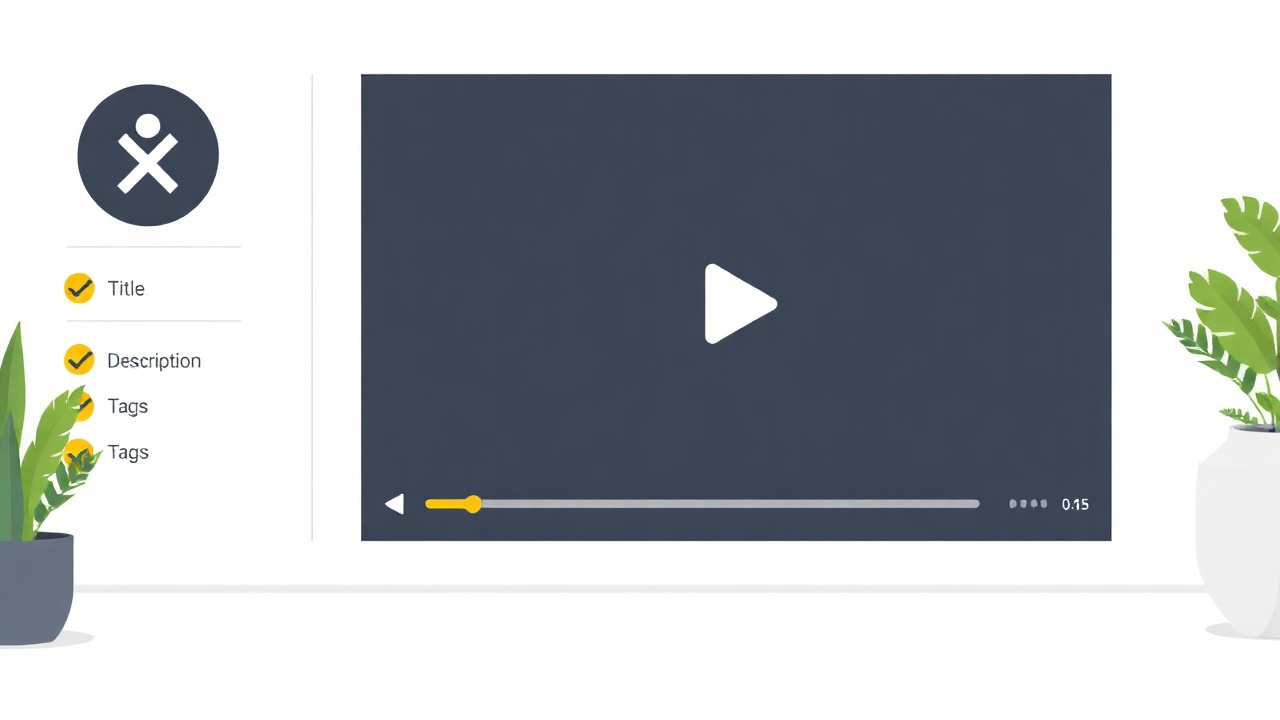
Step 5: Upload with SEO precision
YouTube is a search engine, and youtube for beginners 2026 means understanding that discovery happens through search and suggested videos more than subscriptions.
Optimize every upload:
- Title: Front-load your primary keyword, keep it under 60 characters, add a curiosity hook
- Description: Write 200+ words including keywords naturally, add timestamps, include relevant links
- Tags: Add 8-12 relevant tags mixing broad and specific terms
- Chapters: Use timestamps to create chapters, which improves watch time and search visibility
- Cards and end screens: Link to related videos to keep viewers on your channel
Step 6: Publish consistently and analyze
Consistency beats quality in the early months. A channel with 50 decent videos will outperform a channel with 10 perfect videos because the algorithm needs data to understand who to recommend you to.
Set a sustainable schedule—two videos per week is aggressive but achievable with AI assistance. One video per week is reasonable for beginners balancing other work.
After 30 days, your YouTube Analytics will reveal which videos resonate. Double down on what works. Study your audience retention graphs to identify where viewers drop off, then fix those patterns in future videos.
Realistic earnings & timeline
Let's talk about how much youtube pays in concrete terms. Your earnings depend on your niche's RPM, your total view count, and your ability to layer additional income streams beyond AdSense.
| Milestone | Typical Timeline | Monthly View Estimate | Estimated Monthly Earnings |
|---|---|---|---|
| Monetization approved | 6-12 months | 50,000-100,000 | $100-$400 |
| Part-time income | 12-18 months | 200,000-500,000 | $400-$2,000 |
| Full-time income | 18-36 months | 1,000,000+ | $2,000-$10,000+ |
| Significant business | 36+ months | 5,000,000+ | $10,000-$50,000+ |
These numbers assume a mid-range RPM of $4-8. Finance channels might see RPMs of $15-25; gaming channels might see $1-3. The variance is significant.
Smart creators don't rely solely on AdSense. By month 12, you should be integrating:
- Affiliate links in descriptions (often 2-3x your AdSense income)
- Sponsored content (once you hit 10,000+ subscribers)
- Digital products or courses sold to your audience
- A website capturing email subscribers for long-term monetization
If you're building a website to support your channel—whether for affiliate reviews or course sales—the Site Engine lets you launch a professional site in under a minute, giving you a home base beyond YouTube's platform.
Mistakes that kill beginners
Mistake 1: Perfecting before publishing. Your first 20 videos will be your worst. Accept this reality and publish anyway. The feedback loop of real viewer data teaches faster than endless pre-launch polishing.
Mistake 2: Ignoring thumbnails. Beginners spend 10 hours editing a video and 10 minutes on the thumbnail. Invert this ratio. A mediocre video with a great thumbnail outperforms a great video with a mediocre thumbnail because the latter never gets clicked.
Mistake 3: Chasing trends outside your niche. When a viral topic emerges, resist the urge to pivot unless it genuinely fits your channel's focus. The algorithm rewards consistency. A finance channel posting a random gaming video confuses your subscriber base and tanks your channel's topical authority.
Mistake 4: Copying successful creators exactly. Study what works, but add your angle. The market doesn't need another identical Mr. Beast clone. It needs the version of that energy filtered through your expertise and perspective.
Mistake 5: Quitting at month four. Most channels see almost zero growth for their first 50-100 videos. This is normal. The algorithm needs time to understand your content and find your audience. The creators who succeed are simply the ones who didn't quit during the silent months.
Frequently asked questions
How many subscribers do you need to make money on YouTube?
You need 1,000 subscribers plus either 4,000 watch hours in 12 months OR 10 million Shorts views in 90 days to join the YouTube Partner Program and earn ad revenue.
How much does YouTube pay per 1,000 views?
YouTube typically pays $2-$12 per 1,000 views (RPM) depending on your niche, audience location, and content type. Finance and tech channels earn toward the higher end; entertainment and gaming channels often earn less.
Can you make money on YouTube without showing your face?
Yes, faceless channels are thriving in 2026. Niches like finance explainers, top-10 compilations, meditation content, and AI-narrated educational videos regularly hit monetization thresholds without ever showing a human face.
How long does it take to monetize a new YouTube channel?
Most channels reach monetization requirements in 6-18 months with consistent weekly uploads. Channels using AI tools for scripting and optimization often hit thresholds faster due to higher output volume and better SEO.
What equipment do I need to start a YouTube channel in 2026?
For faceless channels, you need a computer and internet connection. For on-camera content, a smartphone with 1080p video, basic lighting, and a $30-50 lavalier microphone is enough to start. Upgrade gear only after you're monetized.
The bottom line
Learning how to start a YouTube channel and make money isn't complicated—it's just slower than most people want. The creators who reach full-time income treat this as a system, not a lottery. Build your content engine, optimize relentlessly, and give the algorithm time to work. The money follows the consistency.
Get the AI tools to do all of this — free
Create a free Elite Engines account and get 5 AI money-making engines instantly. No credit card.
